Text messages from Moozz
Moozz (Muzico Innovations GmbH) sends two kinds of service texts: a one-time sign-in code when you ask for one, and an optional song-ready text when a version you submitted is ready to listen. Neither is marketing. Message and data rates may apply. Reply HELP for help or STOP to opt out.
Last updated 2026-11-12
What we send
Sign-in code: “123456 is your Moozz code. @auth.moozz.com #123456”. It is one message per request, plus a new code each time you ask for one.
Song-ready text: “Moozz: “El Reloj” is ready. Listen: https://app.moozz.com/s/… Reply STOP to opt out.” It is one message per finished version.
We do not send marketing texts, reminders or recurring campaigns.
Sign-in codes
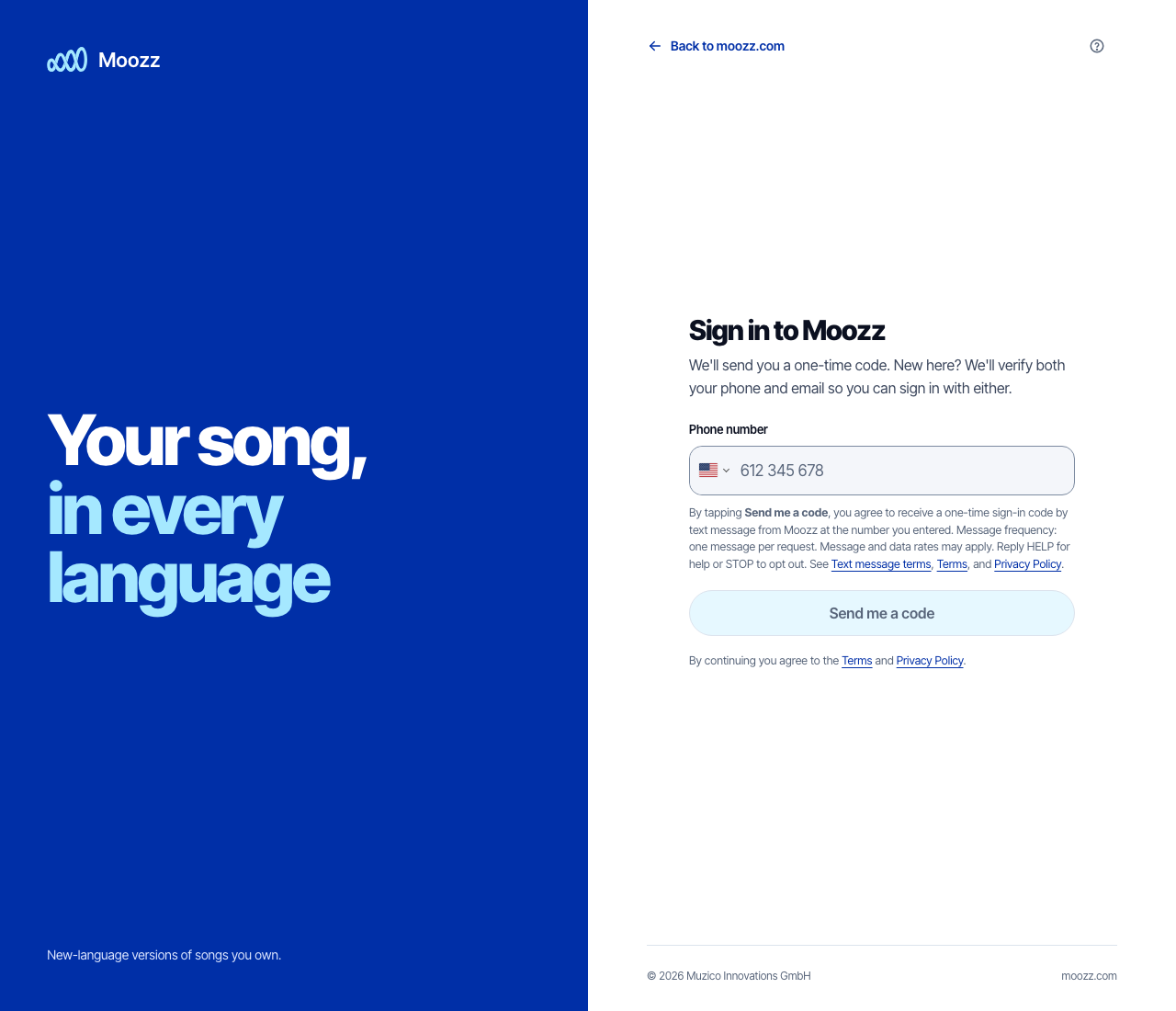
Enter your mobile number on the sign-in page and tap Send me a code. The page tells you that the one-time code arrives by text, with the frequency, the rates line and STOP/HELP instructions. Asking for the code is the consent; there is no marketing opt-in.
You can sign in with email instead if your account has a verified email. If you have already opted out with STOP, reply START to receive codes again.
Song-ready texts
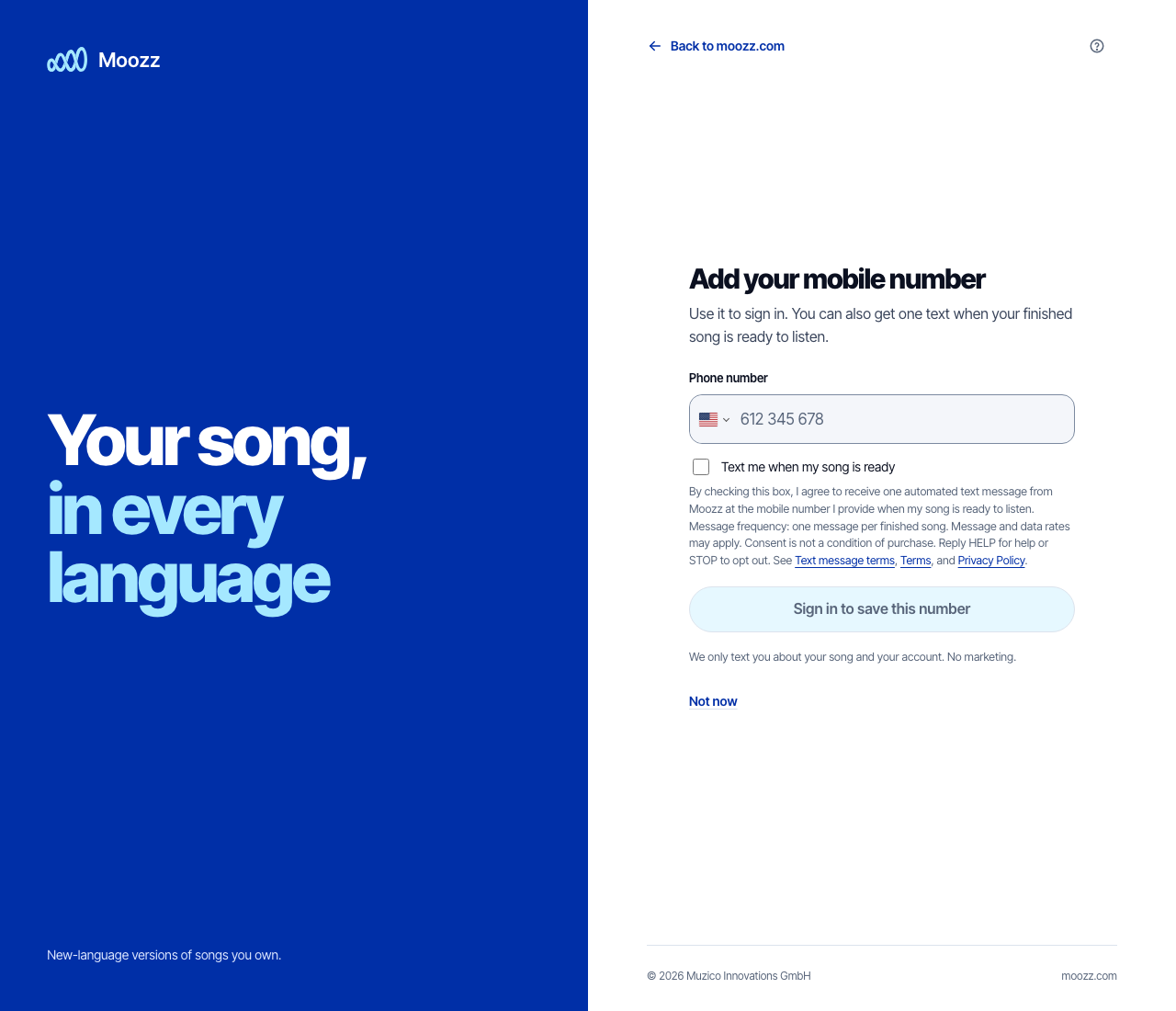
After you submit a song, the app offers an optional text when the finished version is ready to listen. Enter a mobile number, tick the unchecked box “Text me when my song is ready”, and tap Text me. The box starts unchecked every time. The disclosure states one message per finished song, message and data rates may apply, and STOP/HELP.
The notification number is separate from the number you use to sign in. Consent is optional and is not a condition of purchase; you can skip the offer and still use every part of Moozz.
A new notification number gets one confirmation text. If you reply STOP, a later save of the same number sends one more confirmation text so the restart is deliberate.
How to stop
Reply STOP to any message to stop texts. Reply HELP for help, or START to resume. You can also turn song-ready texts off in your profile. Opting out does not close your account or cancel work you have already asked us to do; you can still use the web app.
The number and who sends it
Moozz is a service of Muzico Innovations GmbH, Kilchberg, Switzerland, Company ID CHE-475.033.787.
We share the number only with the service providers that deliver our texts, and only for that purpose. We do not sell or rent phone numbers. All the above categories exclude text messaging originator opt-in data and consent; this information won't be shared with any third parties.
The consent record holds the date, the disclosure version, the source page, your IP address and a one-way hash of the number, and we keep it for five years after the last text, or for as long as the law requires. You can change or remove the number in your profile.
Questions
Email info@moozz.com with “Text messages” in the subject line and we will reply.
Questions and answers
Will I get marketing texts?
No. The only texts are the sign-in code you ask for and the song-ready text you opt in to. There are no campaigns and no purchased lists.
Does STOP cancel my song?
No. STOP stops the texts. Your account and any work in progress continue, and the web app still shows progress and the finished version. Reply START to receive texts again.